
cesium融合three
Cesium+Three
你将学到什么
- Cesium Viewer 初始化
- Cesium 影像图层
- requestAnimationFrame 渲染循环
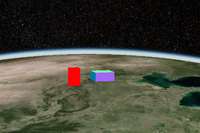
效果说明
Cesium 接第三方库或扩展能力。
扩展功能 · Cesium.js
核心概念
Viewer 封装地球、相机、图层;可关闭 animation/timeline 等 UI 精简界面。
ImageryLayer 叠加 XYZ/WMTS/ArcGIS 等底图,
imageryLayers.add/remove管理。
实现步骤
- 初始化
Cesium.Viewer与底图图层 - 添加 Entity / Primitive / DataSource 等业务对象
- 按需
camera.flyTo定位视角
代码要点
initCesium()— 案例中的独立逻辑模块,建议在线编辑器中跳转阅读initThree()— 案例中的独立逻辑模块,建议在线编辑器中跳转阅读syncCesiumThree()— 案例中的独立逻辑模块,建议在线编辑器中跳转阅读
源码
js
import * as Cesium from 'cesium'
import * as THREE from 'three'

const cesiumBox = document.getElementById('box')

const threeBox = document.createElement('div')

Object.assign(threeBox.style, {

    position: 'absolute',

    pointerEvents: 'none',

    zIndex: 1,

    width: '100%',

    height: '100%'

})

cesiumBox.appendChild(threeBox)

const minWGS84 = [115.23, 39.55] // 最小经纬度

const maxWGS84 = [116.23, 41.55] // 最大经纬度

initThree(threeBox,initCesium(cesiumBox))

// 初始化Cesium
function initCesium() {

    const viewer = new Cesium.Viewer(cesiumBox, {
        baseLayerPicker: false,
        imageryProvider: false, // 替换 baseLayer: false
        infoBox: false
    })

    viewer.imageryLayers.addImageryProvider(

        new Cesium.WebMapTileServiceImageryProvider({

            url: "https://t0.tianditu.gov.cn/img_w/wmts?tk=c4e3a9d54b4a79e885fff9da0fca712a",
            layer: "img",
            style: "default",
            format: "tiles",
            tileMatrixSetID: "w"

        })

    )

    viewer.camera.flyTo({

        destination: Cesium.Cartesian3.fromDegrees((minWGS84[0] + maxWGS84[0]) / 2, (minWGS84[1] + maxWGS84[1]) / 2 - 1, 200000),

        orientation: { heading: Cesium.Math.toRadians(0), pitch: Cesium.Math.toRadians(-60), roll: Cesium.Math.toRadians(0) }

    })

    return viewer

}

function initThree(threeBox, viewer) {

    const scene = new THREE.Scene()

    const camera = new THREE.PerspectiveCamera(45, threeBox.clientHeight / threeBox.clientHeight, 1, 100000000)

    const renderer = new THREE.WebGLRenderer({ alpha: true })

    renderer.setSize(threeBox.clientWidth, threeBox.clientHeight)

    threeBox.appendChild(renderer.domElement)

    const group = new THREE.Group()

    const box = new THREE.Mesh(new THREE.BoxGeometry(4, 4, 4), new THREE.MeshNormalMaterial())

    group.add(box)

    const box2 = new THREE.Mesh(new THREE.BoxGeometry(2, 2, 8), new THREE.MeshBasicMaterial({ color: 0xff0000 }))

    box2.position.x += 6

    group.add(box2)

    group.cesium = { minWGS84, maxWGS84 }

    scene.add(group)

    group.scale.set(15000, 15000, 15000)

    function render() {

        syncCesiumThree(group, camera, viewer)

        renderer.render(scene, camera)

        requestAnimationFrame(render)

    }

    window.onresize = () => {

        renderer.setSize(threeBox.clientWidth, threeBox.clientHeight)

        camera.aspect = threeBox.clientWidth / threeBox.clientHeight

        camera.updateProjectionMatrix()

    }

    render()

}

/* 相机同步 */
function syncCesiumThree(group, camera, viewer) {
// ... 完整源码见在线案例编辑器
小结
扩展功能 · Cesium.js