
测量
Measurement
你将学到什么
- 相机交互控制器
- requestAnimationFrame 渲染循环
效果说明
Three.js 业务向场景组合。
应用场景 · Three.js
核心概念
- OrbitControls 轨道旋转缩放;开
enableDamping时每帧需controls.update()。
实现步骤
- 搭建 Scene / Camera / Renderer 与 OrbitControls
- rAF 循环中 update 并 render
代码要点
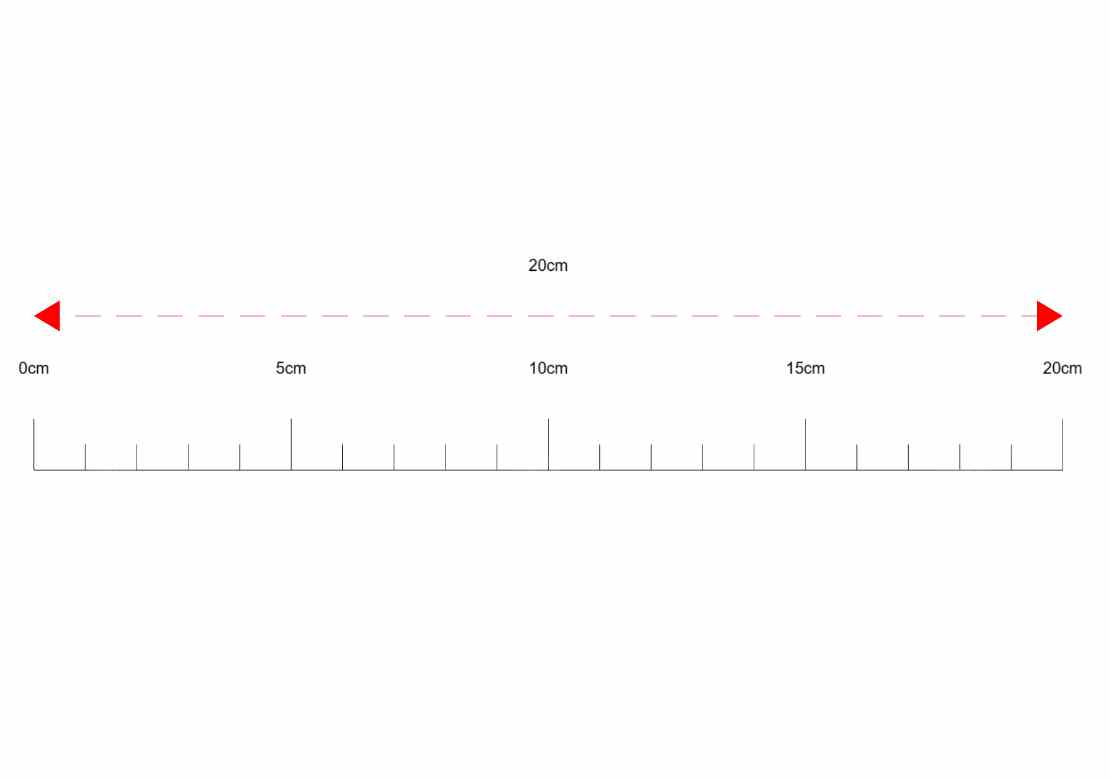
createRuler()— 案例中的独立逻辑模块,建议在线编辑器中跳转阅读createText()— 案例中的独立逻辑模块,建议在线编辑器中跳转阅读createArrowMeasure()— 案例中的独立逻辑模块,建议在线编辑器中跳转阅读
源码
js
import * as THREE from 'three'
import { OrbitControls } from 'three/examples/jsm/controls/OrbitControls.js'

const box = document.getElementById('box')

const scene = new THREE.Scene()

const camera = new THREE.PerspectiveCamera(75, box.clientWidth / box.clientHeight, 0.1, 100000)

camera.position.set(0, 0, 15)

const renderer = new THREE.WebGLRenderer({ antialias: true, alpha: true, logarithmicDepthBuffer: true })

renderer.setSize(box.clientWidth, box.clientHeight)

box.appendChild(renderer.domElement)

renderer.setClearColor(0xffffff, 1)

renderer.setPixelRatio(window.devicePixelRatio * 1.6)

new OrbitControls(camera, renderer.domElement)

// 创建简单尺子
createRuler()

// 创建箭头测量线
createArrowMeasure()

animate()

function createRuler() {

    const start = new THREE.Vector3(-10, 0, 0)
    const end = new THREE.Vector3(10, 0, 0)
    const distance = start.distanceTo(end)

    const lineGeometry = new THREE.BufferGeometry().setFromPoints([start, end])
    const line = new THREE.Line(lineGeometry, new THREE.LineBasicMaterial({ color: 0x000000 }))
    scene.add(line)

    for (let i = 0; i <= 20; i++) {
        const t = i / 20
        const pos = new THREE.Vector3().lerpVectors(start, end, t)
        const height = i % 5 === 0 ? 1 : 0.5

        const tickGeometry = new THREE.BufferGeometry().setFromPoints([
            new THREE.Vector3(pos.x, 0, 0),
            new THREE.Vector3(pos.x, height, 0)
        ])
        const tick = new THREE.Line(tickGeometry, new THREE.LineBasicMaterial({ color: 0x000000 }))
        scene.add(tick)

        if (i % 5 === 0) {
            const text = i + 'cm'
            createText(text, pos.x, height + 1, 0)
        }

    }
}

function createText(text, x, y, z) {
    const canvas = document.createElement('canvas')
    const ctx = canvas.getContext('2d')
    canvas.width = 128
    canvas.height = 64

    ctx.font = '20px Arial'
    ctx.textAlign = 'center'
    ctx.fillText(text, 64, 40)

    const texture = new THREE.CanvasTexture(canvas)
    const sprite = new THREE.Sprite(new THREE.SpriteMaterial({ map: texture }))
    sprite.position.set(x, y, z)
    sprite.scale.set(2, 1, 1)
    scene.add(sprite)
}

function createArrowMeasure() {
    const start = new THREE.Vector3(-10, 3, 0)
    const end = new THREE.Vector3(10, 3, 0)

    // 主线段(虚线)
    const lineGeometry = new THREE.BufferGeometry().setFromPoints([start, end])
    const lineMaterial = new THREE.LineDashedMaterial({
        color: 0xff0000,
        dashSize: 0.5,
        gapSize: 0.3
    })
    const line = new THREE.Line(lineGeometry, lineMaterial)
    line.computeLineDistances()
    scene.add(line)

    // 左箭头(实心三角形)
    const leftArrowGeometry = new THREE.BufferGeometry()
    const leftVertices = new Float32Array([
        start.x, start.y, start.z,
        start.x + 0.5, start.y - 0.3, start.z,
        start.x + 0.5, start.y + 0.3, start.z
    ])
    leftArrowGeometry.setAttribute('position', new THREE.BufferAttribute(leftVertices, 3))
    const leftArrowMaterial = new THREE.MeshBasicMaterial({
        color: 0xff0000,
        side: THREE.DoubleSide  // 确保两面都可见
    })
    const leftArrowMesh = new THREE.Mesh(leftArrowGeometry, leftArrowMaterial)
    scene.add(leftArrowMesh)

    // 右箭头(实心三角形)
    const rightArrowGeometry = new THREE.BufferGeometry()
    const rightVertices = new Float32Array([
        end.x, end.y, end.z,
        end.x - 0.5, end.y + 0.3, end.z,
        end.x - 0.5, end.y - 0.3, end.z
    ])
    rightArrowGeometry.setAttribute('position', new THREE.BufferAttribute(rightVertices, 3))
    const rightArrowMaterial = new THREE.MeshBasicMaterial({
        color: 0xff0000,
        side: THREE.DoubleSide  // 确保两面都可见
    })
// ... 完整源码见在线案例编辑器
小结
应用场景 · Three.js