
球体线条
Sphere Line
你将学到什么
- 相机交互控制器
- 点云 / 粒子 / 实例化渲染
- requestAnimationFrame 渲染循环
- GUI 面板调试参数
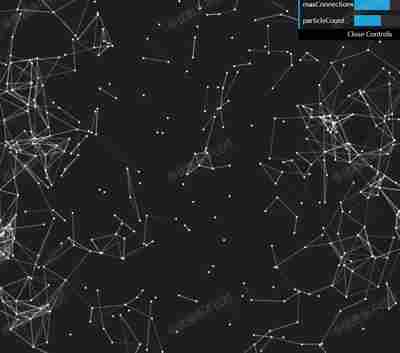
效果说明
大量重复物体或粒子,注意 draw call 与 update 频率。
粒子 · Three.js
核心概念
OrbitControls 轨道旋转缩放;开
enableDamping时每帧需controls.update()。Points 大量顶点用点精灵渲染;InstancedMesh 相同几何体批量绘制,降低 draw call。
实现步骤
- 搭建 Scene / Camera / Renderer 与 OrbitControls
- rAF 循环中 update 并 render
代码要点
getPos()— 案例中的独立逻辑模块,建议在线编辑器中跳转阅读
源码
js
import * as THREE from 'three'
import { OrbitControls } from 'three/examples/jsm/controls/OrbitControls.js'
import * as dat from 'dat.gui'

const box = document.getElementById('box')

const scene = new THREE.Scene()

const camera = new THREE.PerspectiveCamera(50, box.clientWidth / box.clientHeight, 0.1, 10000)

camera.position.set(1000, 1000, 1000)

const renderer = new THREE.WebGLRenderer({ antialias: true, alpha: true, logarithmicDepthBuffer: true })

renderer.setSize(box.clientWidth, box.clientHeight)

box.appendChild(renderer.domElement)

const controls = new OrbitControls(camera, renderer.domElement)

controls.enableDamping = true

let group;
let particlesData = [];
let positions, colors;
let particles;
let pointCloud;
let particlePositions;
let linesMesh;

let maxParticleCount = 1000;
let particleCount = 500;
let r = 800;

let effectController = {
    showDots: true,
    showLines: true,
    minDistance: 150,
    limitConnections: false,
    maxConnections: 20,
    particleCount: 500
}

group = new THREE.Group();
scene.add(group);

let segments = maxParticleCount * maxParticleCount;

positions = new Float32Array(segments * 3);
colors = new Float32Array(segments * 3);

let pMaterial = new THREE.PointsMaterial({
    color: 0xFFFFFF,
    size: 3,
    blending: THREE.AdditiveBlending,
    transparent: true,
    sizeAttenuation: false
});

particles = new THREE.BufferGeometry();
particlePositions = new Float32Array(maxParticleCount * 3);

function getPos(radius, a, b) {
    const x = radius * Math.sin(a) * Math.cos(b);
    const y = radius * Math.sin(a) * Math.sin(b);
    const z = radius * Math.cos(a);
    return { x, y, z };
}

for (let i = 0; i < maxParticleCount; i++) {

    const p = getPos(r, Math.PI * 2 * Math.random(), Math.PI * 2 * Math.random())

    let x = p.x;
    let y = p.y;
    let z = p.z;

    particlePositions[i * 3] = x;
    particlePositions[i * 3 + 1] = y;
    particlePositions[i * 3 + 2] = z;

    particlesData.push({
        velocity: new THREE.Vector3(- 1 + Math.random() * 2, - 1 + Math.random() * 2, - 1 + Math.random() * 2),
        numConnections: 0
    });

}

particles.setDrawRange(0, particleCount);
particles.setAttribute('position', new THREE.BufferAttribute(particlePositions, 3).setUsage(THREE.DynamicDrawUsage));

pointCloud = new THREE.Points(particles, pMaterial);
group.add(pointCloud);

let geometry = new THREE.BufferGeometry();

geometry.setAttribute('position', new THREE.BufferAttribute(positions, 3).setUsage(THREE.DynamicDrawUsage));
geometry.setAttribute('color', new THREE.BufferAttribute(colors, 3).setUsage(THREE.DynamicDrawUsage));

geometry.computeBoundingSphere();

geometry.setDrawRange(0, 0);

let material = new THREE.LineBasicMaterial({
    vertexColors: true,
    blending: THREE.AdditiveBlending,
    transparent: true
});

linesMesh = new THREE.LineSegments(geometry, material);
group.add(linesMesh);
animate()

function animate() {

    let vertexpos = 0;
    let colorpos = 0;
    let numConnected = 0;
    let O = new THREE.Vector3(0, 0, 0)
// ... 完整源码见在线案例编辑器
小结
粒子 · Three.js