
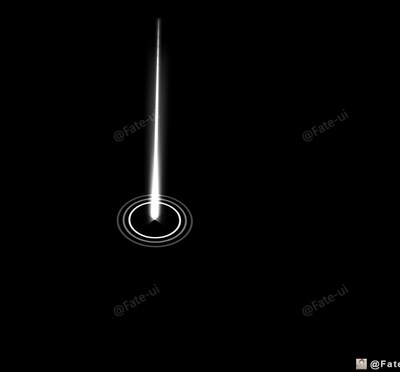
亮光标记
Light Icon
你将学到什么
- 相机交互控制器
- 动画与时间线
效果说明
Three.js WebGL 场景。打开在线案例可查看最终画面。
核心概念
- OrbitControls 轨道旋转缩放;开启阻尼时每帧
controls.update()。 - AnimationMixer 播 glTF 动画;GSAP 补间任意属性。
实现步骤
- 创建 OrbitControls 并处理 resize
- mixer.update(delta) 或 gsap.to 驱动属性
- 搭建灯光与环境(如有)
- requestAnimationFrame 循环 update + render
代码要点
js
const circlePlane = new PlaneGeometry(6, 6)
const circleTexture = new TextureLoader().load(FILE_HOST + 'images/channels/label.png')
const circleMaterial = new MeshBasicMaterial({
    color: 0xffffff,
    map: circleTexture,
    transparent: true,
    blending: THREE.AdditiveBlending,
    depthWrite: false,
    side: THREE.DoubleSide


const lightPillarTexture = new THREE.TextureLoader().load(FILE_HOST + 'images/channels/light_column.png')
const lightPillarGeometry = new THREE.PlaneGeometry(3, 20)
const lightPillarMaterial = new THREE.MeshBasicMaterial({
    color: 0xffffff,
    map: lightPillarTexture,
    alphaMap: lightPillarTexture,
    transparent: true,
blending: THREE.AdditiveBlending,完整源码:GitHub
小结
应用场景 · Three.js · 16/68