
创建场景
Create Scene
你将学到什么
- 生产环境常用的 Renderer 配置项
setPixelRatio与logarithmicDepthBuffer的作用- 标准 animate 循环 模板(controls + resize + render)
效果说明
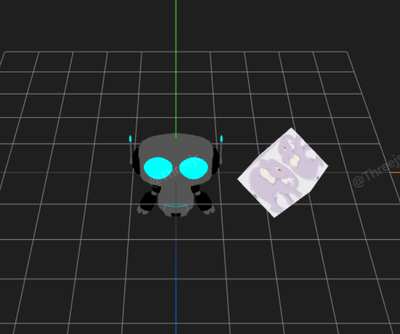
完整的三维场景框架:带天空盒背景、环境光 + 平行光、OrbitControls 交互、窗口自适应。这是后续大部分案例的 起始模板。
核心概念
Renderer 关键参数
js
const renderer = new THREE.WebGLRenderer({
    antialias: true,              // 抗锯齿,边缘更平滑
    alpha: true,                  // canvas 透明背景
    logarithmicDepthBuffer: true, // 对数深度缓冲,大场景 Z-fighting 更少
});
renderer.setPixelRatio(window.devicePixelRatio);| 参数 | 作用 |
|---|---|
antialias | MSAA 抗锯齿,轻微性能开销 |
logarithmicDepthBuffer | 近远跨度极大时(如城市+天空)深度精度更好 |
setPixelRatio | 视网膜屏清晰渲染;建议 Math.min(dpr, 2) 限上限 |
标准 animate 模板
js
function animate() {
    requestAnimationFrame(animate);
    controls.update();           // 阻尼需每帧 update
    renderer.render(scene, camera);
}
animate();

window.addEventListener('resize', () => {
    camera.aspect = width / height;
    camera.updateProjectionMatrix();
    renderer.setSize(width, height);
});
实现步骤
- Scene + PerspectiveCamera(fov/aspect/near/far 显式传入)
- WebGLRenderer 配置并挂载 DOM
- OrbitControls + enableDamping
- 天空盒 CubeTexture 作 background
- AmbientLight + DirectionalLight
- rAF 循环 + resize 监听
与入门案例的区别
| 项目 | 入门 | 本案例 |
|---|---|---|
| 渲染次数 | 一次 | rAF 持续循环 |
| 交互 | 无 | OrbitControls |
| 背景 | 默认 | 六面体天空盒 |
| 光照 | 无(Basic 材质) | 环境光 + 平行光 |
| resize | 无 | 有 |
源码
完整源码见 在线案例编辑器。核心结构:
js
import * as THREE from 'three';
import { OrbitControls } from 'three/examples/jsm/controls/OrbitControls.js';

const box = document.getElementById('box');
const scene = new THREE.Scene();

const camera = new THREE.PerspectiveCamera(
    75, box.clientWidth / box.clientHeight, 0.1, 1000
);
camera.position.set(5, 5, 5);

const renderer = new THREE.WebGLRenderer({ antialias: true, alpha: true });
renderer.setSize(box.clientWidth, box.clientHeight);
renderer.setPixelRatio(window.devicePixelRatio);
box.appendChild(renderer.domElement);

const controls = new OrbitControls(camera, renderer.domElement);
controls.enableDamping = true;

// 天空盒、灯光、模型加载 ...

function animate() {
    requestAnimationFrame(animate);
    controls.update();
    renderer.render(scene, camera);
}
animate();
小结
基础案例 · Three.js