
鬼屋
Ghost House
你将学到什么
- Scene / Camera / Renderer 渲染管线
- 相机交互控制器
- GUI 参数调试面板
效果说明
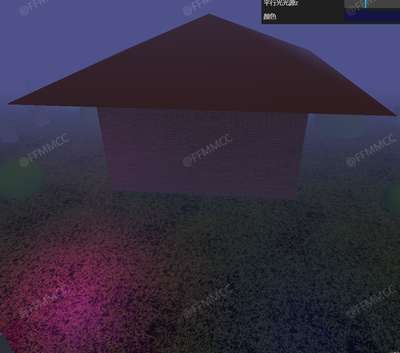
Three.js WebGL 场景。打开在线案例可查看最终画面。
核心概念
- Scene 容纳对象,Camera 定义视点,WebGLRenderer 输出 canvas。
- OrbitControls 轨道旋转缩放;开启阻尼时每帧
controls.update()。 - dat.GUI / lil-gui 绑定 uniform 或配置对象实时调参。
实现步骤
- 初始化 Viewer 或 Scene / Camera / Renderer
- 创建 OrbitControls 并处理 resize
- gui.add 绑定可调参数
代码要点
js
mesh.geometry.setAttribute('uv2',
		new THREE.Float32BufferAttribute(
			mesh.geometry.attributes.uv.array, 2
		)
	)
}

const scene = new THREE.Scene();


const scene = new THREE.Scene();

const loaderManager = new THREE.LoadingManager();
const textureLoader = new THREE.TextureLoader(loaderManager);
const door_colorTexture = textureLoader.load(FILE_HOST + 'threeExamples/application/haunted_house/door/color.jpg', () => { door_colorTexture.colorSpace = THREE.SRGBColorSpace });
const door_lphaTexture = textureLoader.load(FILE_HOST + 'threeExamples/application/haunted_house/door/alpha.jpg');
const door_ambientOcclusionTexture = textureLoader.load(FILE_HOST + 'threeExamples/application/haunted_house/door/ambientOcclusion.jpg');
const door_heightTexture = textureLoader.load(FILE_HOST + 'threeExamples/application/haunted_house/door/height.jpg');完整源码:GitHub
小结
应用场景 · Three.js · 4/68