
流光
Flow Light
你将学到什么
- 相机交互控制器
- EffectComposer 后处理管线
- 动画与时间线
效果说明
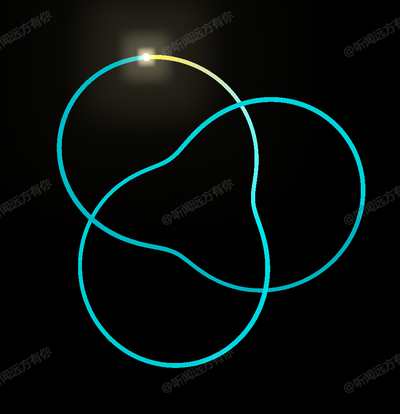
Three.js WebGL 场景。打开在线案例可查看最终画面。
核心概念
- OrbitControls 轨道旋转缩放;开启阻尼时每帧
controls.update()。 - EffectComposer 多 Pass 链式渲染:RenderPass → 特效 Pass → 输出屏幕。
- AnimationMixer 播 glTF 动画;GSAP 补间任意属性。
实现步骤
- 创建 OrbitControls 并处理 resize
- composer.addPass 串联后处理
- mixer.update(delta) 或 gsap.to 驱动属性
代码要点
js
import {
	AmbientLight,
	Color,
	DirectionalLight,
	DoubleSide,
	Mesh,
	MeshBasicMaterial,
	PerspectiveCamera,
	Scene,
	TextureLoader,
	TorusKnotGeometry,
	Vector2,
	WebGLRenderer
} from 'three'
import { OrbitControls } from 'three/examples/jsm/controls/OrbitControls.js'
import gsap from 'gsap'
import { EffectComposer } from 'three/examples/jsm/postprocessing/EffectComposer.js'
import { RenderPass } from 'three/examples/jsm/postprocessing/RenderPass.js'
import { UnrealBloomPass } from 'three/examples/jsm/postprocessing/UnrealBloomPass.js'
import { OutputPass } from 'three/examples/jsm/postprocessing/OutputPass.js'

const size = { width: window.innerWidth, height: window.innerHeight }
const scene = new Scene()
scene.background = new Color('black')完整源码:GitHub
小结
着色器 · Three.js · 47/89