
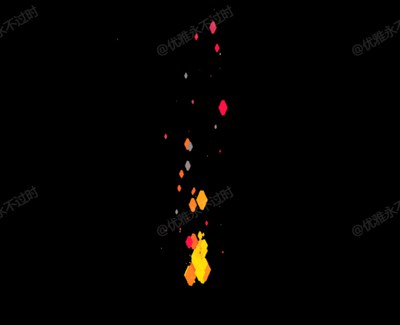
粒子火焰
Fire Particles
你将学到什么
- 相机交互控制器
- requestAnimationFrame 渲染循环
效果说明
大量重复物体或粒子,注意 draw call 与 update 频率。
粒子 · Three.js
核心概念
- OrbitControls 轨道旋转缩放;开
enableDamping时每帧需controls.update()。
实现步骤
- 搭建 Scene / Camera / Renderer 与 OrbitControls
- rAF 循环中 update 并 render
代码要点
randomFloat()— 案例中的独立逻辑模块,建议在线编辑器中跳转阅读partToHex()— 案例中的独立逻辑模块,建议在线编辑器中跳转阅读FireParticle()— 案例中的独立逻辑模块,建议在线编辑器中跳转阅读ParticleSystem()— 案例中的独立逻辑模块,建议在线编辑器中跳转阅读
源码
js
import * as THREE from 'three';
import { OrbitControls } from 'three/examples/jsm/controls/OrbitControls.js';

var camera, renderer, scene, particleSystem, baseParticle, mouse;
mouse = [window.innerWidth / 2, window.innerHeight / 2];
renderer = new THREE.WebGLRenderer({ antialias: true });
scene = new THREE.Scene();
camera = new THREE.PerspectiveCamera(20, window.innerWidth / window.innerHeight, 0.1, 1000);
camera.position.z = 50;
renderer.setSize(window.innerWidth, window.innerHeight);
document.body.appendChild(renderer.domElement);
new OrbitControls(camera, renderer.domElement);

baseParticle = new THREE.BoxGeometry(0.4, 0.4, 0.4);
baseParticle.rotateZ(Math.PI / 4);

baseParticle = new THREE.Mesh(
	baseParticle,
	new THREE.MeshBasicMaterial({ color: 0xffffff })
);

particleSystem = new ParticleSystem(99);
render();

function randomFloat(a, b) {
	var r = (Math.random() * (b - a) + a);
	return r;
}

function partToHex(part) {
	var h = part.toString(16);
	return h.length == 1 ? "0" + h : h;
}

var color;
function FireParticle() {
	this.direction;
	this.scaleSpeed;
	this.curAge;

	this.parent;

	this.obj;
	this.colorRamp = [[255, 255, 0], [255, 136, 34], [255, 17, 68], [153, 136, 136]];

	this.update = function () {
		if (Math.abs(this.parent.pos.x - this.obj.position.x) > 10 || Math.abs(-this.parent.pos.y - this.obj.position.y) > 10) {
			this.obj.scale.x *= .8;
			this.obj.scale.y *= .8;
			this.obj.scale.z *= .8;
		}

		var point = (this.curAge / 40);
		var pointRem = point % 1;

		if (Math.round(point) >= this.colorRamp.length - 1) {
			color = this.colorRamp[this.colorRamp.length - 1];
		} else {
			color = [Math.floor(this.colorRamp[Math.floor(point)][0] * (1 - pointRem) + this.colorRamp[Math.floor(point) + 1][0] * pointRem), Math.floor(this.colorRamp[Math.floor(point)][1] * (1 - pointRem) + this.colorRamp[Math.floor(point) + 1][1] * pointRem), Math.floor(this.colorRamp[Math.floor(point)][2] * (1 - pointRem) + this.colorRamp[Math.floor(point) + 1][2] * pointRem)];
		}

		color = partToHex(color[0]) + partToHex(color[1]) + partToHex(color[2])
		color = parseInt(color, 16);

		this.obj.material.color.setHex(color);

		this.curAge++;

		if (this.obj.scale.x < .01) {
			this.init();
		}

		this.obj.position.x += this.direction.x;
		this.obj.position.y += this.direction.y;
		this.obj.position.z += this.direction.z;

		this.obj.scale.x *= this.scaleSpeed;
		this.obj.scale.y *= this.scaleSpeed;
		this.obj.scale.z *= this.scaleSpeed;
	}

	this.init = function () {
		this.direction = new THREE.Vector3(randomFloat(-.01, .01), randomFloat(.01, .1), randomFloat(-.01, .01));
		this.scaleSpeed = randomFloat(.8, .99);
		this.curAge = 0;

		if (this.obj != undefined) {
			scene.remove(this.obj);
		}

		this.obj = baseParticle.clone();
		this.obj.position.set(this.parent.obj.position.x + randomFloat(-.2, .2), this.parent.obj.position.y, this.parent.obj.position.z + randomFloat(-.2, .2));
		this.obj.scale.set(1, 2, 1);
		this.obj.material = this.obj.material.clone();

		for (var i = 0; i < randomFloat(0, 100); i++) {
			this.update();
		}

		scene.add(this.obj);
	}

}

function ParticleSystem(size) {
	this.particles = [];
	this.obj = new THREE.Group();

	this.p = new THREE.Vector3();
	this.d;
	this.dis;
	this.pos = new THREE.Vector3(0, 0, 0);

	this.init = function () {
		for (var i = 0; i < size; i++) {
			this.particles.push(new FireParticle());
			this.particles[i].parent = this;
// ... 完整源码见在线案例编辑器
小结
粒子 · Three.js