
魔幻山体
Contour
你将学到什么
- Scene / Camera / Renderer 渲染管线
- 相机交互控制器
- ShaderMaterial / RawShaderMaterial 自定义 GLSL
效果说明
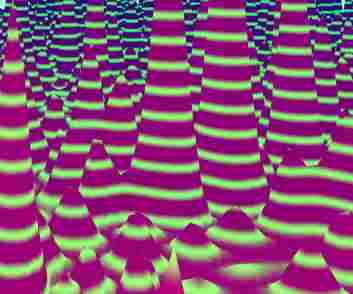
Three.js WebGL 场景,以自定义 shader 呈现核心视觉效果,技术点:顶点着色器、片元着色器、uniform 驱动。打开在线案例可查看最终画面。
核心概念
- Scene 容纳对象,Camera 定义视点,WebGLRenderer 输出 canvas。
- OrbitControls 轨道旋转缩放;开启阻尼时每帧
controls.update()。 - ShaderMaterial 自定义 uniforms + vertex/fragment;RawShaderMaterial 需手写全部 shader 声明。
实现步骤
- 初始化 Viewer 或 Scene / Camera / Renderer
- 创建 OrbitControls 并处理 resize
- 定义 uniforms,在 rAF 中更新并 render
代码要点
js
const box = document.getElementById("box");
const scene = new THREE.Scene();
scene.background = new THREE.Color(0.5, 1, 0.875);
scene.fog = new THREE.Fog(scene.background, 20, 45);
const camera = new THREE.PerspectiveCamera(
    75,
    box.clientWidth / box.clientHeight,
    0.1,
    1000,

const scene = new THREE.Scene();
scene.background = new THREE.Color(0.5, 1, 0.875);
scene.fog = new THREE.Fog(scene.background, 20, 45);
const camera = new THREE.PerspectiveCamera(
    75,
    box.clientWidth / box.clientHeight,
    0.1,
    1000,
);

scene.background = new THREE.Color(0.5, 1, 0.875);
scene.fog = new THREE.Fog(scene.background, 20, 45);
const camera = new THREE.PerspectiveCamera(
    75,
    box.clientWidth / box.clientHeight,
    0.1,
    1000,
);
camera.position.set(0, 10, 10);完整源码:GitHub
小结
着色器 · Three.js · 71/89