
计算新坐标
computerNewPoint
你将学到什么
- Cesium Viewer 初始化与场景配置
- Cesium Entity / DataSource 高层 API
- Cesium 屏幕空间拾取交互
- GUI 参数调试面板
效果说明
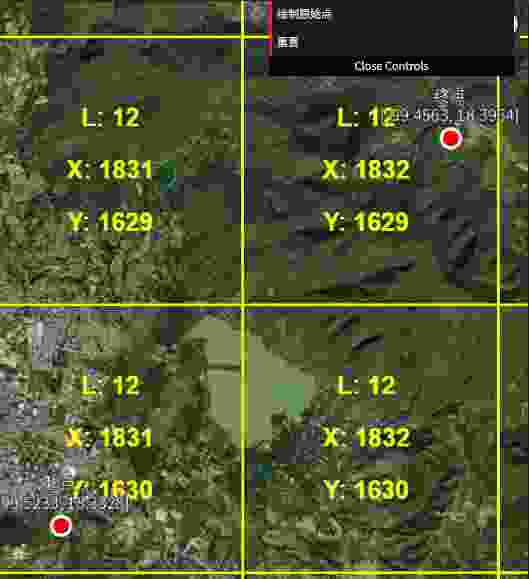
Cesium 地球场景,含相机或交互演示。打开在线案例可查看最终画面。
核心概念
- Viewer 封装地球、相机、图层与 clock;可关闭 animation/timeline 精简 UI。
- Entity 适合业务对象;GeoJsonDataSource 加载 GeoJSON 面线点。
- ScreenSpaceEventHandler 监听点击;
scene.pick取 Entity,pickPosition取地表坐标。 - dat.GUI / lil-gui 绑定 uniform 或配置对象实时调参。
实现步骤
- 初始化 Viewer 或 Scene / Camera / Renderer
- dataSources.add 或 entities.add 业务对象
- setInputAction 注册 LEFT_CLICK 等事件
- gui.add 绑定可调参数
代码要点
js
*/
const viewer = new Cesium.Viewer(box, {
  animation: false,              // 不显示动画控件
  baseLayerPicker: false,        // 不显示图层选择器
  baseLayer: Cesium.ImageryLayer.fromProviderAsync(
    Cesium.ArcGisMapServerImageryProvider.fromUrl('https://server.arcgisonline.com/arcgis/rest/services/World_Imagery/MapServer')
  ),                             // 设置基础影像图层
  fullscreenButton: false,       // 不显示全屏按钮
  timeline: false,               // 不显示时间线

  baseLayer: Cesium.ImageryLayer.fromProviderAsync(
    Cesium.ArcGisMapServerImageryProvider.fromUrl('https://server.arcgisonline.com/arcgis/rest/services/World_Imagery/MapServer')
  ),                             // 设置基础影像图层
  fullscreenButton: false,       // 不显示全屏按钮
  timeline: false,               // 不显示时间线
  infoBox: false,                // 不显示信息框
})

// 隐藏Cesium默认的Logo信息完整源码:GitHub
小结
相关工具 · Cesium.js · 3/6