
模型粒子化
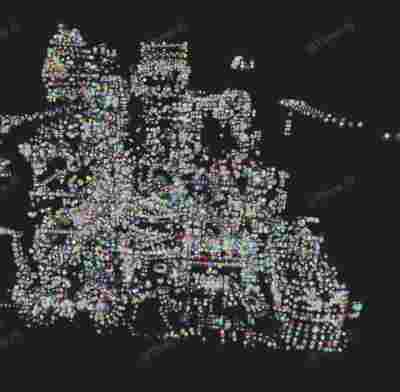
Model Particle
你将学到什么
- glTF/FBX/OBJ 外部模型加载
- 相机交互控制器
- 点云 / 粒子 / 实例化渲染
- GSAP / anime.js 属性动画
- requestAnimationFrame 渲染循环
效果说明
Three.js 业务向场景组合。
应用场景 · Three.js
核心概念
Loader 异步加载模型;glTF 返回
gltf.scene,加载后注意scale与坐标系。Draco 需配置DRACOLoader。OrbitControls 轨道旋转缩放;开
enableDamping时每帧需controls.update()。Points 大量顶点用点精灵渲染;InstancedMesh 相同几何体批量绘制,降低 draw call。
时间线库驱动 position/rotation/uniform,与 rAF 渲染循环配合。
实现步骤
- 搭建 Scene / Camera / Renderer 与 OrbitControls
- Loader 异步加载模型/纹理资源
- rAF 循环中 update 并 render
代码要点
createPoints()— 案例中的独立逻辑模块,建议在线编辑器中跳转阅读
源码
js
import * as THREE from 'three'
import { OrbitControls } from 'three/examples/jsm/controls/OrbitControls.js'
import { GLTFLoader } from 'three/examples/jsm/loaders/GLTFLoader.js'
import { DRACOLoader } from 'three/examples/jsm/loaders/DRACOLoader.js'
import gsap from 'gsap'

const box = document.getElementById('box')

const scene = new THREE.Scene()

const camera = new THREE.PerspectiveCamera(75, box.clientWidth / box.clientHeight, 0.1, 100000)

camera.position.set(300, 300, 300)

const renderer = new THREE.WebGLRenderer({ antialias: true, alpha: true, logarithmicDepthBuffer: true })

renderer.setSize(box.clientWidth, box.clientHeight)

box.appendChild(renderer.domElement)

new OrbitControls(camera, renderer.domElement)

const loader = new GLTFLoader()

loader.setDRACOLoader(new DRACOLoader().setDecoderPath(FILE_HOST + 'js/three/draco/'))

loader.load(

    FILE_HOST + '/files/model/LittlestTokyo.glb',

    gltf => {

        let count = 0

        gltf.scene.traverse(child => {

            if (child.isMesh) {

                count++

                setTimeout(() => {

                    const particles = createPoints(child)

                    scene.add(particles)

                    gsap.to(particles.material, { opacity: 0.9, duration: 1 })

                }, count * 100)

            }

        })

    }

)

animate()

function animate() {

    requestAnimationFrame(animate)

    renderer.render(scene, camera)

}

function createPoints(mesh) {

    mesh.updateMatrixWorld()

    const positions = []

    const vertex = new THREE.Vector3();

    for (let i = 0; i < mesh.geometry.attributes.position.count; i++) {

        vertex.fromBufferAttribute(mesh.geometry.attributes.position, i)

        vertex.applyMatrix4(mesh.matrixWorld)

        positions.push(vertex.x, vertex.y, vertex.z)

    }

    const geometry = new THREE.BufferGeometry()

    geometry.setAttribute('position', new THREE.Float32BufferAttribute(positions, 3))

    const colors = new Float32Array(positions.map(() => Math.random()))

    geometry.setAttribute('color', new THREE.Float32BufferAttribute(colors, 3))

    const material = new THREE.PointsMaterial({

        size: 10,

        vertexColors: true,

        opacity: 0,

        map: new THREE.TextureLoader().load(HOST + 'files/images/snow.png'),

        transparent: true

    })

    const particles = new THREE.Points(geometry, material)

    return particles

}
小结
应用场景 · Three.js