
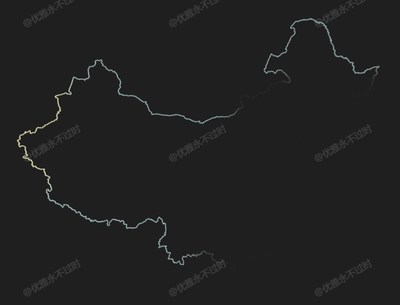
地理边界
Geo Border
你将学到什么
- 相机交互控制器
- requestAnimationFrame 渲染循环
效果说明
Three.js 接第三方库或扩展能力。
扩展功能 · Three.js
核心概念
- OrbitControls 轨道旋转缩放;开
enableDamping时每帧需controls.update()。
实现步骤
- 搭建 Scene / Camera / Renderer 与 OrbitControls
- rAF 循环中 update 并 render
代码要点
createShapeWithCoord()— 案例中的独立逻辑模块,建议在线编辑器中跳转阅读coordToVector3()— 案例中的独立逻辑模块,建议在线编辑器中跳转阅读translationOriginForMesh()— 案例中的独立逻辑模块,建议在线编辑器中跳转阅读translationOriginForGroup()— 案例中的独立逻辑模块,建议在线编辑器中跳转阅读
源码
js
import * as THREE from 'three'
import { OrbitControls } from 'three/examples/jsm/controls/OrbitControls.js'

const box = document.getElementById('box')

const scene = new THREE.Scene()

const camera = new THREE.PerspectiveCamera(75, box.clientWidth / box.clientHeight, 0.1, 1000)

camera.position.set(0, 0, 500)

const renderer = new THREE.WebGLRenderer({ antialias: true, alpha: true, logarithmicDepthBuffer: true })

renderer.setSize(box.clientWidth, box.clientHeight)

box.appendChild(renderer.domElement)

const controls = new OrbitControls(camera, renderer.domElement)

controls.enableDamping = true

scene.add(new THREE.AmbientLight(0xffffff, 1))

const directionalLight = new THREE.DirectionalLight(0xffffff, 2)

directionalLight.position.set(300, 300, 300)

scene.add(directionalLight)

const map = new THREE.TextureLoader().load(FILE_HOST + 'images/channels/lmap.png')

map.wrapS = THREE.RepeatWrapping

map.wrapT = THREE.RepeatWrapping

map.needsUpdate = true

animate()

function animate() {

  requestAnimationFrame(animate)

  map.offset.x += 0.001

  controls.update()

  renderer.render(scene, camera)

}

window.onresize = () => {

  renderer.setSize(box.clientWidth, box.clientHeight)

  camera.aspect = box.clientWidth / box.clientHeight

  camera.updateProjectionMatrix()

}

/* 边界 */
const group = new THREE.Group()

fetch(FILE_HOST + 'files/json/chinaBound.json').then(r => r.json()).then(res => {

  const { features } = res

  features.forEach((i) => {

    if (i.geometry.type === 'MultiPolygon') i.geometry.coordinates.forEach((j) => j.forEach((z) => createShapeWithCoord(group, z)))

    else if (i.geometry.type === 'Polygon') i.geometry.coordinates.forEach((j) => createShapeWithCoord(group, j))

    else if (i.geometry.type === 'LineString') i.geometry.coordinates.length > 1 && createShapeWithCoord(group, i.geometry.coordinates)

  })

  translationOriginForGroup(group)

  scene.add(group)

})

function createShapeWithCoord(group, coordinates) {

  if (coordinates.length < 1000) return // 设置点数限制 如果点太少则不绘制

  const curvePoints = coordinates.map((k) => coordToVector3(k))

  const curve = new THREE.CatmullRomCurve3(curvePoints)

  const geometry = new THREE.TubeGeometry(curve, curvePoints.length - 1, 1, 40, false)

  const material = new THREE.MeshPhongMaterial({ color: 0xffffff , map , transparent: true })

  const mesh = new THREE.Mesh(geometry, material)

  translationOriginForMesh(mesh)

  group.attach(mesh)

}

function coordToVector3(coord, slace = 10000) {

  const [lng, lat] = coord

  const x = lng * 20037508.34 / 180

  const y = Math.log(Math.tan((90 + lat) * Math.PI / 360)) / (Math.PI / 180) * 20037508.34 / 180

  return new THREE.Vector3(x / slace, y / slace, 0)

}

function translationOriginForMesh(mesh) {

  const boundingBox = new THREE.Box3().setFromObject(mesh)

// ... 完整源码见在线案例编辑器
小结
扩展功能 · Three.js