
天空盒
Sky And Env
你将学到什么
- CubeTexture 六面体天空盒的加载与贴图顺序
scene.background与material.envMap的 分工- PBR 材质
metalness / roughness如何影响环境反射 - 天空盒 不等同于 在场景里放一个 Box 网格
效果说明
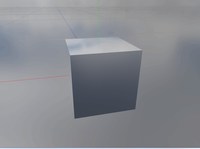
场景背景是一圈 全景天空(六张 PNG 拼成的立方体环境),中央有一个 高反光金属立方体,表面映出天空颜色。拖动 OrbitControls 时,背景随相机旋转,立方体反射也会变化。
核心概念
天空盒是什么?
天空盒不是场景里的一个大盒子模型,而是 无穷远处的背景:相机始终在立方体内部,六面贴图永远「包住」整个场景。
         +Y (top)
          │
    ┌─────┼─────┐
    │     │     │
 -X ┼─────O─────+X   ← 相机在中心,看六面内壁
    │     │     │
    └─────┼─────┘
         -Y (bottom)
          +Z / -Z 为前后
CubeTextureLoader 贴图顺序
Three.js 要求 6 张图按固定顺序 传入(与 OpenGL 立方体贴图一致):
| 索引 | 面 |
|---|---|
| 0 | +X (右) |
| 1 | -X (左) |
| 2 | +Y (上) |
| 3 | -Y (下) |
| 4 | +Z (前) |
| 5 | -Z (后) |
js
const urls = [1, 2, 3, 4, 5, 6].map(i => basePath + i + '.png');
const textureCube = new THREE.CubeTextureLoader().load(urls);
贴图顺序错了会出现「接缝错位、天空拼接混乱」——这是天空盒最常见的问题。
background vs envMap vs environment
| 属性 | 作用对象 | 本案例 |
|---|---|---|
scene.background = cubeTexture | 相机看到的远景背景 | ✅ 已设置 |
material.envMap = cubeTexture | 单个材质 的反射/折射采样 | ✅ 立方体材质 |
scene.environment = cubeTexture | 场景内 所有 PBR 材质 的 IBL 环境光 | ❌ 未设置 |
本案例只给立方体设置了 envMap,未设 scene.environment,也未加 DirectionalLight / AmbientLight。立方体靠 高 metalness + 低 roughness 几乎变成「环境镜」,主要显示 envMap 反射,所以仍然可见。
现代推荐写法
加载 cubemap 后通常同时写:
js
scene.background = textureCube;
scene.environment = textureCube;  // 所有 MeshStandardMaterial 自动 IBL
不必每个材质手动 envMap = textureCube。
PBR 参数在本案例中的含义
js
new THREE.MeshStandardMaterial({
  color: 0xffffff,
  envMap: textureCube,
  metalness: 1,    // 完全金属 → 反射为主
  roughness: 0,    // 完全光滑 → 清晰倒影
});| 参数 | 值 | 视觉效果 |
|---|---|---|
metalness: 1 | 纯金属 | 颜色主要来自反射而非漫反射 |
roughness: 0 | 镜面 | 反射清晰,像抛光金属 |
roughness: 0.5 | 可尝试 | 反射变模糊,更像磨砂金属 |
实现步骤
- Scene / Camera / Renderer / OrbitControls + rAF(与 创建场景 相同骨架)
CubeTextureLoader.load(urls)加载六面 PNGscene.background = textureCube设背景天空- 创建立方体
MeshStandardMaterial,envMap: textureCube scene.add(boxMesh),无额外光源
代码要点
加载六面 skybox
js
const urls = [0, 1, 2, 3, 4, 5].map(k =>
  FILE_HOST + 'files/sky/skyBox0/' + (k + 1) + '.png'
);
const textureCube = new THREE.CubeTextureLoader().load(urls);
scene.background = textureCube;
反射立方体
js
const boxMaterial = new THREE.MeshStandardMaterial({
  color: 0xffffff,
  envMap: textureCube,
  metalness: 1,
  roughness: 0,
});
scene.add(new THREE.Mesh(new THREE.BoxGeometry(10, 10, 10), boxMaterial));
常见误区
- 把 skybox 做成巨大 BoxGeometry 包住场景 — 老做法,现在有
scene.background更简单 - 贴图顺序搞错 — 天空会拼花
- 用 MeshBasicMaterial + envMap — Basic 不受 PBR 影响,反射无效
- 只有 background 没有 environment — 其他 PBR 模型不会自动沾环境光,需逐个设 envMap 或设
scene.environment
源码
js
import * as THREE from 'three'
import { OrbitControls } from 'three/examples/jsm/controls/OrbitControls.js'

const box = document.getElementById('box')

const scene = new THREE.Scene()

const camera = new THREE.PerspectiveCamera(50, box.clientWidth / box.clientHeight, 0.1, 1000)
camera.position.set(0, 10, 10)

const renderer = new THREE.WebGLRenderer({ antialias: true, alpha: true, logarithmicDepthBuffer: true })
renderer.setSize(box.clientWidth, box.clientHeight)
box.appendChild(renderer.domElement)

const controls = new OrbitControls(camera, renderer.domElement)
controls.enableDamping = true

animate()

function animate() {
  requestAnimationFrame(animate)
  controls.update()
  renderer.render(scene, camera)
}

window.onresize = () => {
  renderer.setSize(box.clientWidth, box.clientHeight)
  camera.aspect = box.clientWidth / box.clientHeight
  camera.updateProjectionMatrix()
}

// 六面天空盒
const urls = [0, 1, 2, 3, 4, 5].map(k => (FILE_HOST + 'files/sky/skyBox0/' + (k + 1) + '.png'))
const textureCube = new THREE.CubeTextureLoader().load(urls)
scene.background = textureCube

// 环境反射立方体
const boxGeometry = new THREE.BoxGeometry(10, 10, 10)
const boxMaterial = new THREE.MeshStandardMaterial({
  color: 0xffffff,
  envMap: textureCube,
  metalness: 1,
  roughness: 0,
})
const boxMesh = new THREE.Mesh(boxGeometry, boxMaterial)
scene.add(boxMesh)
小结
- 天空盒 = CubeTexture + scene.background,相机永远在盒内
- 物体映天空 = MeshStandardMaterial.envMap(或
scene.environment全局生效) - HDR 全景图方案见 模型天空、工具 hdr 天空盒
- 上一篇:模型阴影 · 下一篇:相机属性
基础案例 · Three.js · 4/35