
自带几何体顶点
Vertices
你将学到什么
- 内置几何体底层都是
BufferGeometry geometry.attributes.position的结构:Float32Array + itemSize- 细分参数(widthSegments 等)如何影响顶点数量
效果说明
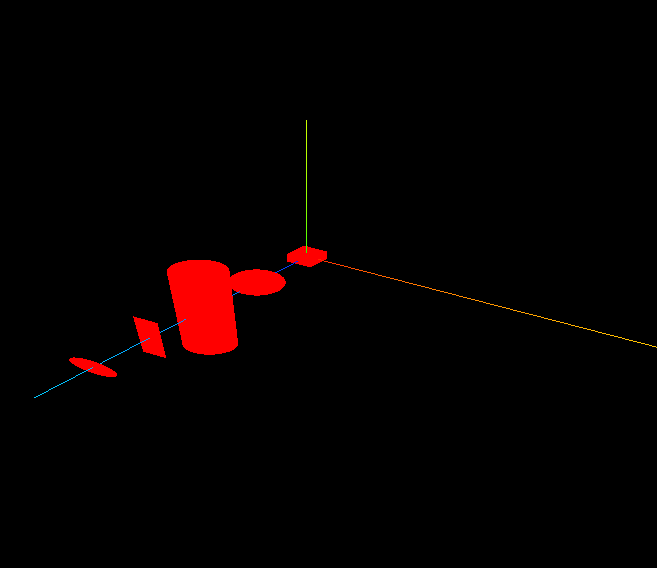
与 几何体 类似,展示多种形状;区别在于通过 console.log 输出各几何体的 顶点属性数据,理解「形状 = 顶点集合」。
核心概念
Three.js r125+ 全面使用 BufferGeometry,顶点存在 GPU 友好的 TypedArray 中:
geometry.attributes.position
  ├── array: Float32Array  [x0,y0,z0, x1,y1,z1, ...]
  ├── itemSize: 3          每个顶点 3 个分量 (x,y,z)
  └── count: N             顶点个数 = array.length / itemSize
细分(Segments) 将曲面拆成更多三角面:
js
// PlaneGeometry(宽, 高, 宽分段, 高分段)
const geometry4 = new THREE.PlaneGeometry(10, 50, 10, 10);
// 10×10 细分 → 更多顶点 → 可做位移/波浪等顶点动画| 几何体 | 细分参数 | 顶点数趋势 |
|---|---|---|
| BoxGeometry | 无(固定 24 顶点) | 恒定 |
| SphereGeometry | widthSegments, heightSegments | 分段↑ → 顶点↑ |
| PlaneGeometry | widthSegments, heightSegments | 分段↑ → 顶点↑ |
实现步骤
- 创建多种 Geometry(注意 Plane 带细分参数)
- 分别
console.log(geometry.attributes.position)对比 - 创建 Mesh 加入场景,OrbitControls 交互
代码要点
js
console.log('Box 顶点', geometry1.attributes.position);
// BufferAttribute { array: Float32Array(72), itemSize: 3, count: 24, ... }

console.log('细分 Plane 顶点', geometry4.attributes.position);
// count 明显大于未细分的 Plane
性能提示
细分过高 → 顶点数爆炸 → draw call 压力增大。游戏/大屏要权衡精度与性能。
源码
完整源码见 在线案例。
js
import * as THREE from 'three';
import { OrbitControls } from 'three/examples/jsm/controls/OrbitControls.js'

const scene = new THREE.Scene();
const geometry1 = new THREE.BoxGeometry(10, 10, 10);
const geometry2 = new THREE.SphereGeometry(10);
const geometry3 = new THREE.CylinderGeometry(10, 10, 100);
const geometry4 = new THREE.PlaneGeometry(10, 50, 10, 10); // 带宽高细分
const geometry5 = new THREE.CircleGeometry(10);

const material = new THREE.MeshBasicMaterial({ color: 0xff0000 });
// ... 创建 mesh1~5 并 scene.add

console.log('顶点位置数据', geometry1.attributes.position);
console.log('顶点位置数据', geometry4.attributes.position); // 对比细分前后
小结
- 所有 3D 模型最终都是 顶点 + 索引 组成的三角网格
- 下一篇:网格 — 手写 BufferGeometry 画三角形
入门案例 · Three.js · 5/15