
动画
Animation
你将学到什么
requestAnimationFrame构建 渲染循环THREE.Clock计算帧间隔与 FPSmesh.rotateY()每帧增量旋转
效果说明
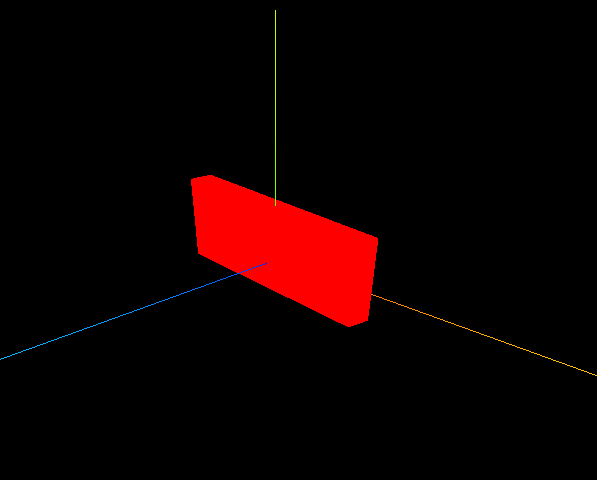
红色立方体 持续绕 Y 轴旋转。控制台输出每帧时间间隔(毫秒)和估算 FPS。
核心概念
渲染循环
js
function render() {
    renderer.render(scene, camera);
    mesh.rotateY(0.01);              // 每帧旋转 0.01 弧度
    requestAnimationFrame(render);   // 浏览器下一帧再调用
}
render(); // 启动requestAnimationFrame(rAF)与显示器刷新率同步(通常 60Hz),比 setInterval 更平滑且后台标签页会自动暂停。
Clock 计时
js
const clock = new THREE.Clock();

function render() {
    const delta = clock.getDelta();  // 距上一帧秒数
    const ms = delta * 1000;
    console.log('帧间隔(ms)', ms, 'FPS', 1000 / ms);

    mesh.rotateY(0.01);
    renderer.render(scene, camera);
    requestAnimationFrame(render);
}
帧率相关: 旋转速度用固定 0.01 弧度/帧时,60FPS 和 30FPS 下 实际转速不同。生产环境应 mesh.rotateY(speed * delta) 保证帧率无关。
实现步骤
- 创建静态 Scene / Mesh / Camera / Renderer
new THREE.Clock()render()内:getDelta → rotate → render → rAF
代码要点
js
const clock = new THREE.Clock();

function render() {
    const spt = clock.getDelta() * 1000;
    console.log('两帧渲染时间间隔(毫秒)', spt);
    console.log('帧率FPS', 1000 / spt);

    renderer.render(scene, camera);
    mesh.rotateY(0.01);
    requestAnimationFrame(render);
}
render();
与 OrbitControls 配合
有 controls 时,循环内加 controls.update()(尤其 enableDamping 时)。
源码
js
import * as THREE from 'three';

const scene = new THREE.Scene();
const geometry = new THREE.BoxGeometry(10, 60, 100);
const material = new THREE.MeshBasicMaterial({ color: 0xff0000 });
const mesh = new THREE.Mesh(geometry, material);
mesh.position.set(0, 10, 0);
scene.add(mesh);

const axesHelper = new THREE.AxesHelper(150);
scene.add(axesHelper);

const camera = new THREE.PerspectiveCamera();
camera.position.set(200, 200, 200);
camera.lookAt(0, 10, 0);

const renderer = new THREE.WebGLRenderer();
const box = document.getElementById('box');
renderer.setSize(box.clientWidth, box.clientHeight);
box.appendChild(renderer.domElement);

const clock = new THREE.Clock();
function render() {
    const spt = clock.getDelta() * 1000;
    console.log('两帧渲染时间间隔(毫秒)', spt);
    console.log('帧率FPS', 1000 / spt);

    renderer.render(scene, camera);
    mesh.rotateY(0.01);
    requestAnimationFrame(render);
}
render();
小结
- 动画 = 每帧更新状态 + render,rAF 是标准入口
- 下一篇:帧率 — Stats.js 可视化性能
入门案例 · Three.js · 13/15