
索引
Index
你将学到什么
- 索引绘制 vs 非索引绘制 的区别
geometry.index如何用 4 个顶点拼出 2 个三角形- 同一 Geometry 可同时用于 Points、Line、Mesh
效果说明
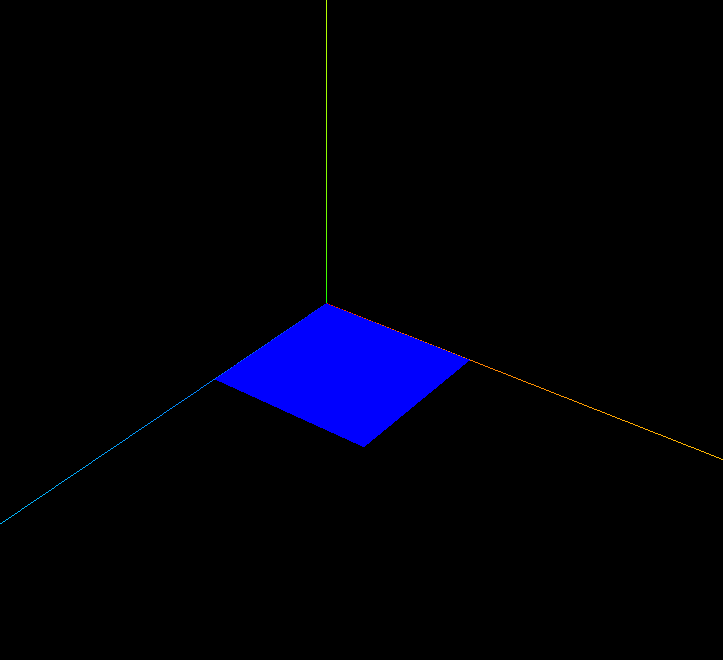
同一组顶点数据,同时以 黄色点、红色线、蓝色面 三种方式渲染,展示 WebGL 不同 图元模式(points / lines / triangles)。
核心概念
非索引 vs 索引
| 方式 | 顶点数(矩形) | 说明 |
|---|---|---|
| 非索引 | 6(每三角独立 3 顶点) | 网格 案例 |
| 索引 | 4 顶点 + 6 索引值 | 顶点可复用,节省内存 |
js
// 4 个唯一顶点
const vertices = new Float32Array([
    0, 0, 0,    // 索引 0
    50, 0, 0,   // 索引 1
    50, 0, 50,  // 索引 2
    0, 0, 50,   // 索引 3
]);

// 索引表:每 3 个索引构成一个三角形
const indexes = new Uint16Array([
    0, 1, 2,   // 三角面 1
    0, 3, 2,   // 三角面 2
]);
geometry.index = new THREE.BufferAttribute(indexes, 1);
geometry.attributes.position = new THREE.BufferAttribute(vertices, 3);
同一 Geometry,三种 Object
| Object | Material | 渲染模式 |
|---|---|---|
Points | PointsMaterial | GL_POINTS |
Line | LineBasicMaterial | GL_LINE_STRIP 等 |
Mesh | MeshBasicMaterial | GL_TRIANGLES |
实现步骤
- 定义 4 顶点 + 6 索引
- 分别创建 Points、Line、Mesh 加入 scene
- OrbitControls 交互
代码要点
js
// index 的 itemSize 固定为 1(每个索引一个整数)
geometry.index = new THREE.BufferAttribute(indexes, 1);

// Line 会按顶点顺序连线;Mesh 按 index 组三角面
const line = new THREE.Line(geometry, lineMaterial);
const mesh = new THREE.Mesh(geometry, meshMaterial);
大型模型
glTF / FBX 导入的模型几乎都用索引。百万级顶点场景,索引复用对内存和带宽至关重要。
源码
完整源码见 在线案例。
js
const geometry = new THREE.BufferGeometry();
const vertices = new Float32Array([0,0,0, 50,0,0, 50,0,50, 0,0,50]);
const indexes = new Uint16Array([0, 1, 2, 0, 3, 2]);

geometry.index = new THREE.BufferAttribute(indexes, 1);
geometry.attributes.position = new THREE.BufferAttribute(vertices, 3);

const points = new THREE.Points(geometry, new THREE.PointsMaterial({ color: 0xffff00, size: 10 }));
const line = new THREE.Line(geometry, new THREE.LineBasicMaterial({ color: 0xff0000 }));
const mesh = new THREE.Mesh(geometry, new THREE.MeshBasicMaterial({ color: 0x0000ff, side: THREE.DoubleSide }));
scene.add(points, line, mesh);
小结
- 索引 = 用「指针」复用顶点,是 3D 管线标准做法
- 下一篇:点、线 — 两种图元渲染模式详解
入门案例 · Three.js · 7/15